Multimodal content cataloguing
Organize speech transcripts, visible text, people and scene descriptions as searchable clues linked to the source. Summaries and labels explain content while time references lead back to the relevant moment.

AI Media Asset Management
Content indexing and time-based discovery for media production.
Lecen AI Media Asset Management organizes video, audio and images for cataloguing, search and reuse. Text, people, scenes and other content clues are linked to source media and relevant time positions. Teams combine keywords, semantic queries and metadata filters to find and preview useful material.
Product brand: Lecen
Overview
A directory locates a file but rarely answers where an interview statement or particular scene occurs. Lecen AI MAM relates descriptive metadata to source files, segment timing and editorial cataloguing. Discovery extends from files to relevant moments for news research, programme selection, course reference and archive reuse.
In focus
Organize speech transcripts, visible text, people and scene descriptions as searchable clues linked to the source. Summaries and labels explain content while time references lead back to the relevant moment.
Use keywords for exact expressions and semantic queries for scenes or meaning, then narrow results with metadata and categories. This supports selection when the filename or exact wording is unknown.
Associate video and audio matches with time ranges, preview the surrounding context and locate a usable excerpt. Image results point to their source files, preserving an appropriate path for each media type.
Apply consistent names for people, projects, scenes and business topics. Human review makes descriptions reflect the organization’s vocabulary and established catalogue practices.
Keep media in existing or configured locations and manage the index-to-file relationship. Shared paths and selection workflows connect discovered content with production, reducing repeated locating and hand-off work.
Workflow
Keep content indexes associated with their files so search results can be verified against the source and used in daily selection.
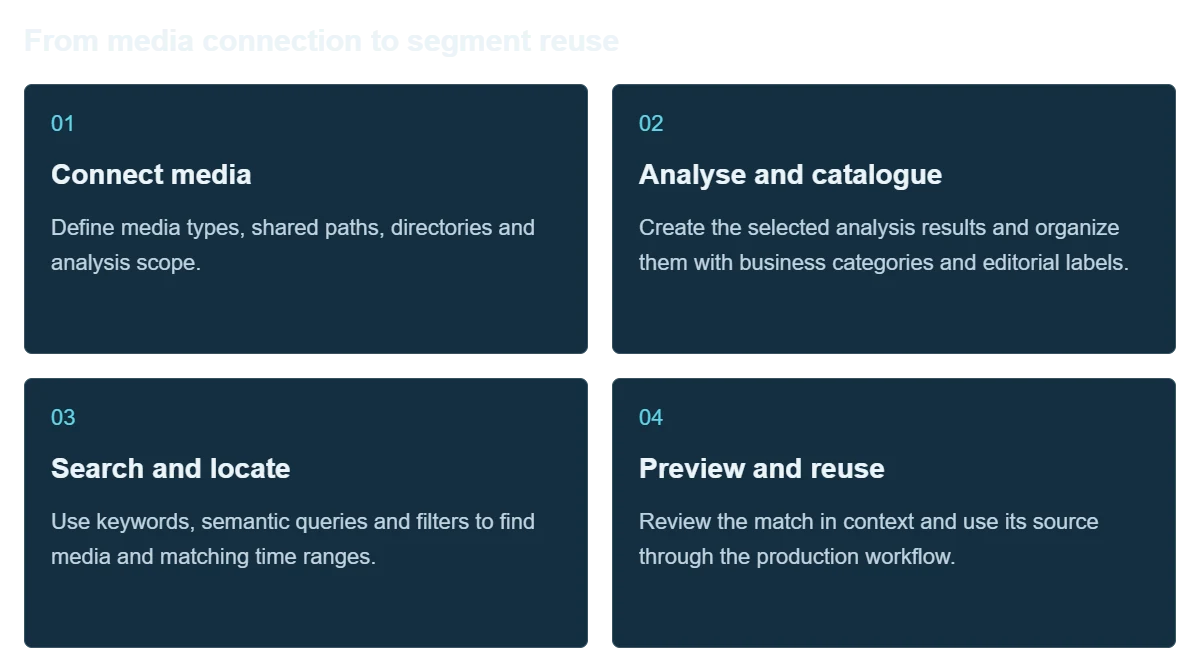
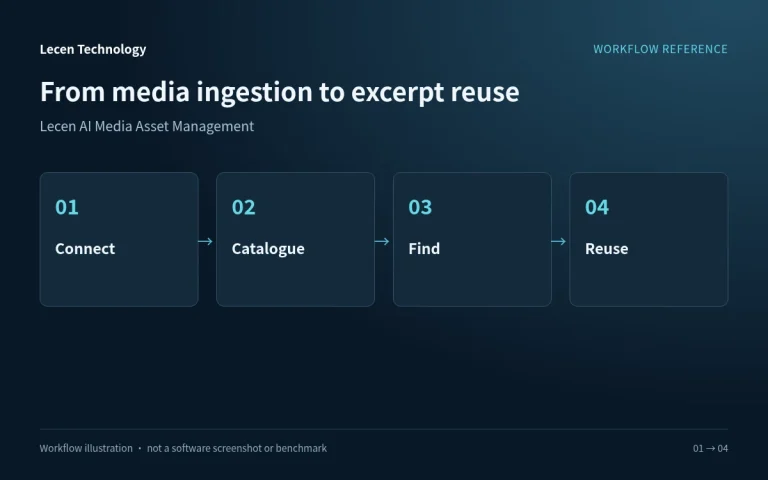
Define media types, shared paths, directories and analysis scope.
Create the selected analysis results and organize them with business categories and editorial labels.
Use keywords, semantic queries and filters to find media and matching time ranges.
Review the match in context and use its source through the production workflow.
Integration
Plan around source locations, analysis tasks, search questions and user roles, with separate management and backup for indexes and originals.
Record media types, file counts, duration, capacity and shared directories, with permissions and incoming sources.
Define people, projects and content categories against business needs, selected analysis and common queries.
Plan analysis resources, indexes and media-reading paths around duration, turnaround and concurrent use.
Test real queries, previews and source locations alongside permissions, production hand-off and model-service data paths.
Configuration
| Product name | Lecen AI Media Asset Management |
|---|---|
| Media types | Video, audio and images |
| Information model | Technical metadata, text, content labels and segment timing |
| Discovery | Keywords, semantic queries and metadata filtering |
| Result use | Preview, context review and source location |
| Cataloguing | AI analysis combined with editorial labels and correction |
| Storage integration | Deliberate management of media paths and content indexes |
| Deployment | Sized for library scale, analysis turnaround and access roles |
Applications
Find interviews, locations and programme excerpts using content clues rather than relying on remembered filenames.
Organize events, classes, meetings and demonstrations into a library that different teams can search repeatedly.
Add searchable descriptions to long-held collections while preserving source and version relationships.

Engineering decisions
Provide video, audio and image counts, total duration, daily growth, languages and existing metadata. Collect actual editorial search questions. Specify keyword, semantic, person-related and on-screen-text requirements separately, confirming each against the proposed release rather than assuming every analysis module is available.
Agree asset identifiers, paths, versions, segment boundaries and proxy relationships, including what should happen after moves, renames and deletion. Distinguish file-relative time from programme timecode. Metadata standards can inform field design without establishing implemented standard import or export.
Identify who may search, preview, download and edit metadata, and how analysis workers access originals. Size initial indexing separately from daily additions, including compute, proxy space and storage reads. Confirm local deployment, external model calls, auditing and single sign-on individually.
Create manually reviewed queries and relevant excerpts, including paraphrases, noisy speech, subtitles, duplicates and questions with no answer. Record top-result relevance, missed material, segment timing and selection effort separately. A successful demonstration query is not an overall accuracy result.
Use different roles to test search results, thumbnails, previews and original files. Check that restricted material is not exposed through summaries or caches. Where APIs, auditing or synchronized deletion are required, test those paths explicitly rather than checking only login and folder permissions.
Add, move, rename, delete and restore media in a test library, checking the agreed source-to-index reconnection procedure. Validate recovery requirements for editorial corrections, proxies, database and configuration. Record failed jobs and reprocessing procedures, and deliver a field dictionary, role matrix and tested versions.
FAQ
Folders organize files by path. AI MAM adds searchable descriptions and segment timing so users can search interviews, scenes or business topics within the media.
Use keywords for names, terms and exact phrases; semantic queries describe scenes or intent. Media types and catalogue categories further narrow the results.
Video and audio matches link to time positions. Review the surrounding context and locate the source. Image results point to the corresponding file.
Analysis supplies initial clues; staff review and organize them using business names, people and project rules. Important information is checked against the source.
Confirm directories, permissions and source paths, then configure analysis and indexing resources. Users locate the required media and access the original through the established production workflow.
No. Editors still need to review context, people, dates, rights and restrictions. AI summaries and labels are search clues requiring verification, not substitutes for source media or publication permission.
No. Originals, proxies, indexes, editorial metadata and configuration are separate recovery objects. Media alone may not preserve cataloguing work, while an index cannot restore missing originals. Test coordinated recovery and establish how long any rebuild will take.
Confirm the supplied release and deployment configuration of Lecen AI Media Asset Management, with delivered functions supported by acceptance records. EBU, NIST and W3C references inform metadata, permissions and recovery design, not implemented interfaces, complete standards conformance or certification.
These references explain principles and integration conditions. Confirm capabilities against the supplied revision, project configuration and agreed tests.
Project brief
Describe volume, folders, access rights and update patterns.
Supply real queries and expected clips for evaluation.
Define local models, external APIs, index backups and access scope.
Explore more
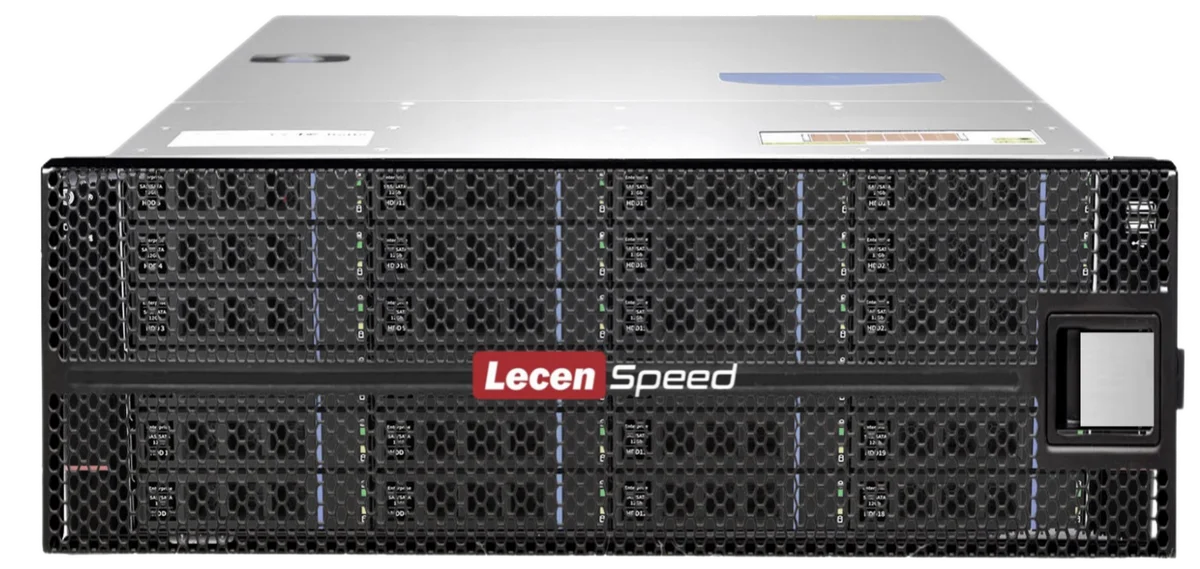
Professional Media Storage
Shared storage for concurrent editing, grading, graphics and ingest.
LecenSpeed rackmount series reference; appearance depends on configuration
View product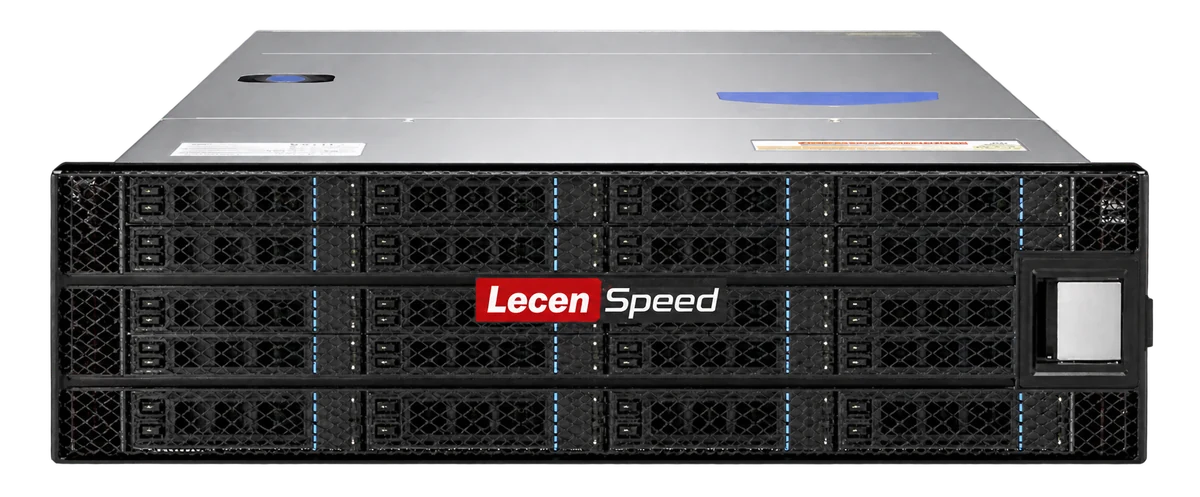
Professional Media Storage
Central storage for large media libraries and long-lived online projects.
LecenSpeed series reference, not a verified photo of this bay-count model
View product
AI Vision & Visual Processing
Image restoration for archive footage and existing video collections.
AI-generated concept, not a product or project photograph.
View productTalk to Lecen
Share library scale, directories and frequent search tasks to plan analysis, segment discovery and production integration.