Crane-specific installation
Fit compatible sensors at the relevant moving points and connect the crane, head and lens to the tracking system. Installation considers structural fit, secure mounting, travel and operator clearance.

Camera Tracking Systems
Mechanical tracking and lens integration for existing camera cranes.
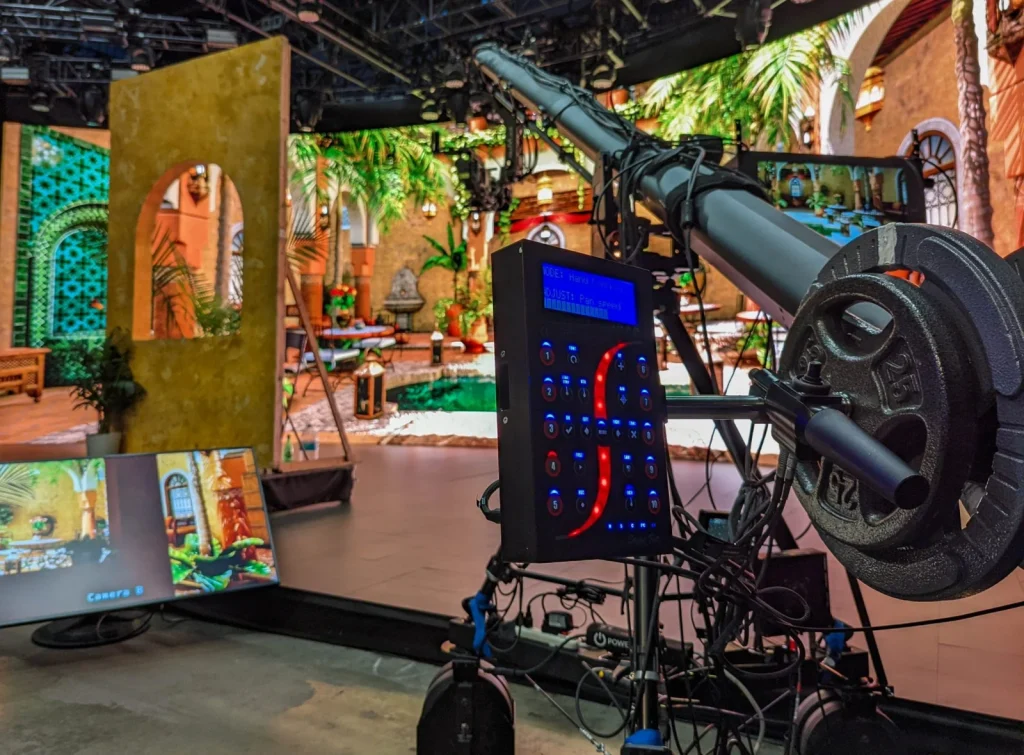
StypeKit is stYpe’s mechanical camera-tracking add-on for cranes. Sensors measure crane and head movement; the console combines those readings with rig geometry to calculate camera position and orientation and deliver lens data to the renderer. It serves virtual studios, AR broadcasts and live production.
Product brand: stYpe
Overview
A crane shot combines motion from several joints. StypeKit relates their readings to arm geometry, the head and camera mounting to produce camera data for rendering. This mechanical measurement approach brings an existing crane into virtual production and supports repeatable configurations around the actual rig.
In focus
Fit compatible sensors at the relevant moving points and connect the crane, head and lens to the tracking system. Installation considers structural fit, secure mounting, travel and operator clearance.
Provide position, orientation, configured zoom and focus, and dolly travel where equipped. The renderer uses these measurements to update the viewpoint through combined crane movements.
Calculate camera pose from encoder readings and rig geometry rather than overhead optical markers. Configuration establishes joint direction, mechanical dimensions, offsets and lens mapping.
Compatible head and lens control arrangements can use automatic aiming and focus to help maintain target framing during arm movement. Tracking output and equipment control are configured for their respective interfaces.
Workflow
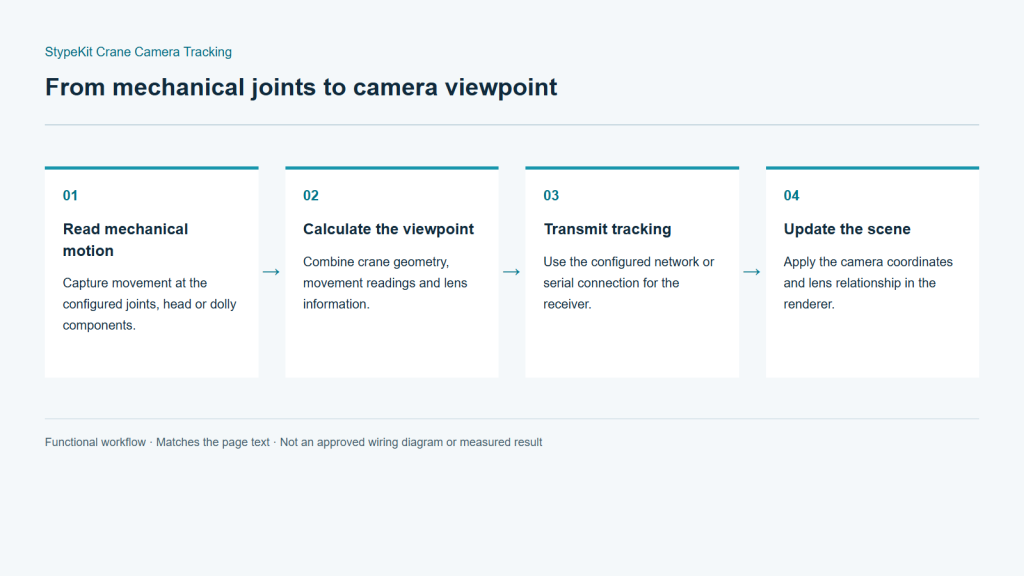
Sensors read movement at the crane and head. The console combines those readings with the configured geometry to calculate camera position and orientation, then sends camera and lens data to the renderer. The crane moves the physical camera; the tracking system measures it. The scene-coordinate setup completes the real-to-virtual relationship.
Capture movement at the configured joints, head or dolly components.
Combine crane geometry, movement readings and lens information.
Use the configured network or serial connection for the receiver.
Apply the camera coordinates and lens relationship in the renderer.
Integration
Begin a crane project with the mechanical configuration before choosing tracking and control components. Fixed or telescopic construction, head axes and dolly movement affect what must be mounted and measured.
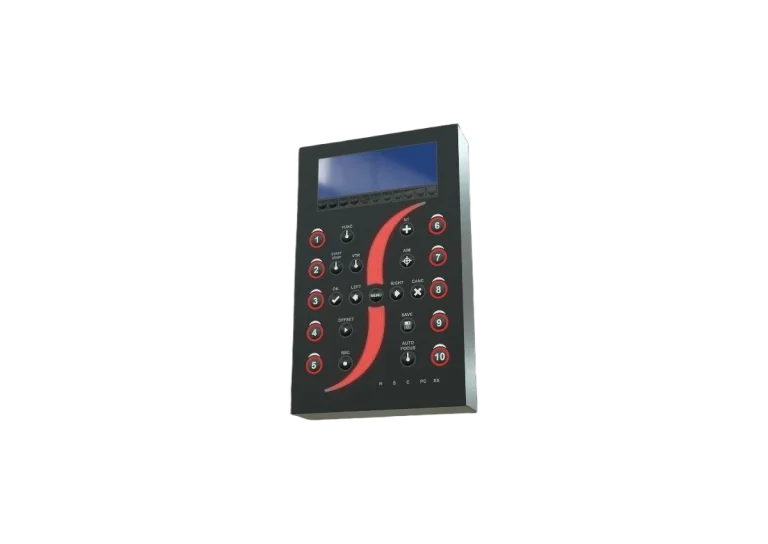
Provide make and model, arm length, telescopic details, head model and control method. State whether the crane runs on a track. Photographs help identify practical sensor, bracket and console positions.
Secure the sensors using the agreed mounting arrangement. Check cable travel and mechanical clearance over the full move. Connect lens data or external encoders and verify reading directions and ranges.
Configure crane geometry, camera offsets and lens matching. Define the relationship to the virtual scene. Recheck affected settings after changes to arm length, head or camera mounting.
Test elevation, pan, tilt, zoom and any configured dolly travel individually and together. Validate tracking timing, video format and graphic output using representative shots.
Configuration
| Tracking method | Mechanical crane tracking |
|---|---|
| Camera pose | X / Y / Z; Pan / Tilt / Roll |
| Lens data | Zoom / Focus |
| Dolly data | Dolly travel with the appropriate configuration |
| Data output | Ethernet UDP / RS-422 |
| Protocols | FreeD / Stype A5 / Stype HF |
| Lens connection | Compatible Canon/Fujinon digital connection or external encoders |
| Control functions | Automatic aiming/focus, matched to head and control interfaces |
Applications
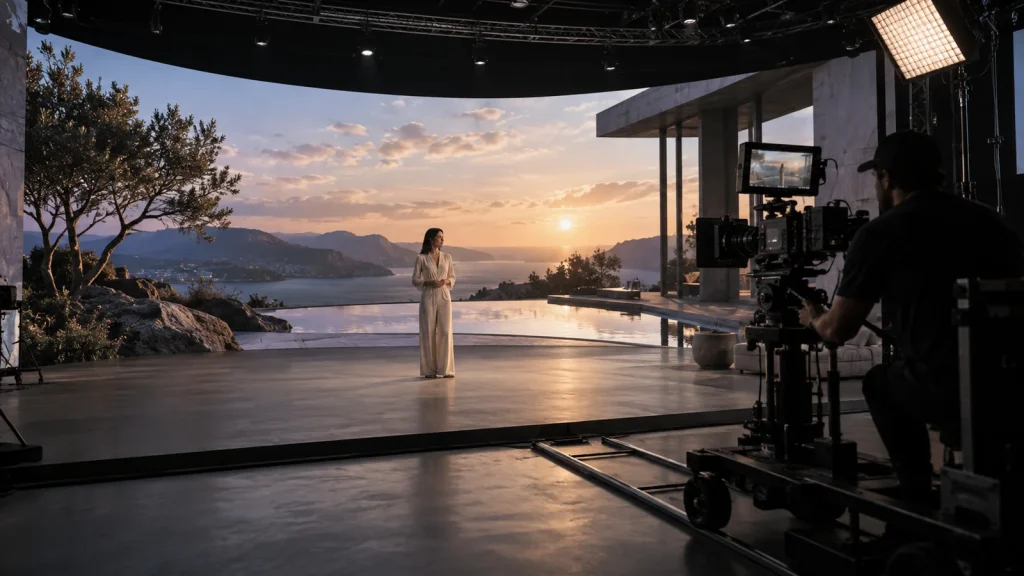
Keep the crane’s spatial movement while supplying viewpoint changes to virtual scenery. Plan around the elevations, lateral moves and sweeping shots used by the programme.
Combine crane coverage with virtual graphics at a venue. Establish stage coordinates and verify placement along the actual camera route, not only at a parked position.
Configure mechanical tracking around the selected crane. Plan cabling, mounting and site coordinates with the broadcast camera position, then test the full working range on location.
Engineering decisions
Provide crane model, arm sections, head arrangement, camera mount and dolly layout. Identify every joint and travel axis that must be measured. Telescoping, base movement or additional axes cannot be assumed to appear in the tracking result unless the configured model accounts for them.
Specify pose and lens-data output separately from automatic aiming or focus control. Control functions require confirmation of head drives, lens interfaces, licensing and operation. Reading an encoder does not establish the ability to command the existing equipment.
Review sensor mounting points, cable clearance, counterbalance and operator space, using the crane manufacturer's load requirements. Manage rig dimensions, scene coordinates and lens calibration as one configuration, particularly when renting cranes or changing arm length between productions.
Move each joint independently to check direction, zero and dimensions, then combine elevation, swing and configured dolly travel. Inspect alignment against near and far references. Record errors at travel limits and on return moves to distinguish geometry problems from mechanical issues.
Fit the final camera and lens and perform programme moves at approved speeds and loads. Check pose, lens readings, video timing and cable interference. Test any optional targeting control separately, including stop and manual takeover; this does not replace the crane's safety procedures.
Reassemble as required for transport or a stage change, confirm arm length, sensor positions and lens setup, and repeat reference shots. Deliver installation photographs, geometry, wiring and scene coordinates. Include a recheck procedure for any mechanical change.
FAQ
Sensors measure crane and head motion; the console calculates camera pose from the rig dimensions and mounting geometry. Correct mechanical configuration establishes spatial alignment.
Provide crane, head and lens models and photographs, including arm length, telescopic sections and dolly use. These determine mounting parts, data connections and control options.
StypeKit uses mechanical sensors and a geometric model, so this tracking path does not depend on overhead optical markers. The virtual scene still requires a defined spatial reference.
Use the configured Ethernet UDP or RS-422 output and a supported FreeD, Stype A5 or Stype HF receiver. Then align camera data, lens mapping and video timing.
Update the affected dimensions, mounting offsets and lens files. Verify position, orientation and field of view with single-axis tests followed by combined crane moves.
No. Motion clearance, a stable base, cabling, mechanical play and video timing still matter. Not needing overhead markers describes the measurement method; it does not eliminate flex, installation error or unmeasured movement.
Scene content may be reusable, but arm geometry, joints, mounting offsets and lens relationships must be checked for the replacement rig. Reuse calibration only after repeat tests; similar cranes are not necessarily dimensionally identical.
StypeKit is a stYpe product. Crane, head and lens manufacturers retain their own safety requirements. Confirm the supplied configuration and Lecen's mechanical adaptation, lens calibration and integration scope per project. Automatic control needs separate validation and does not replace equipment safety requirements.
These references explain principles and integration conditions. Confirm capabilities against the supplied revision, project configuration and agreed tests.
Project brief
Models, lens interfaces and working focal range.
Camera movement, stage layout and mounting conditions.
Rendering platform, video format and synchronization.
Explore more
Camera Tracking Systems
Optical camera position, lens data and real-time production integration.
RedSpy tracking camera assembly
View product
Professional Rendering Servers
Computing and video interfaces for live 3D graphics and AR production.
AI-generated concept, not a product or project photograph.
View productExplore more
Virtual Production & Live Graphics
Connect LED content, set extension and foreground AR.
AI-generated concept, not a product or project photograph.
Explore solution
Virtual Production & Live Graphics
Digital environments that take part in the real shot.
AI-generated concept, not a product or project photograph.
Explore solutionVirtual Production & Live Graphics
Place live graphics and data in the real scene.
AI-generated concept, not a product or project photograph.
Explore solutionTalk to Lecen
Share crane, head, lens and dolly details to scope sensor mounting and real-time production integration.